
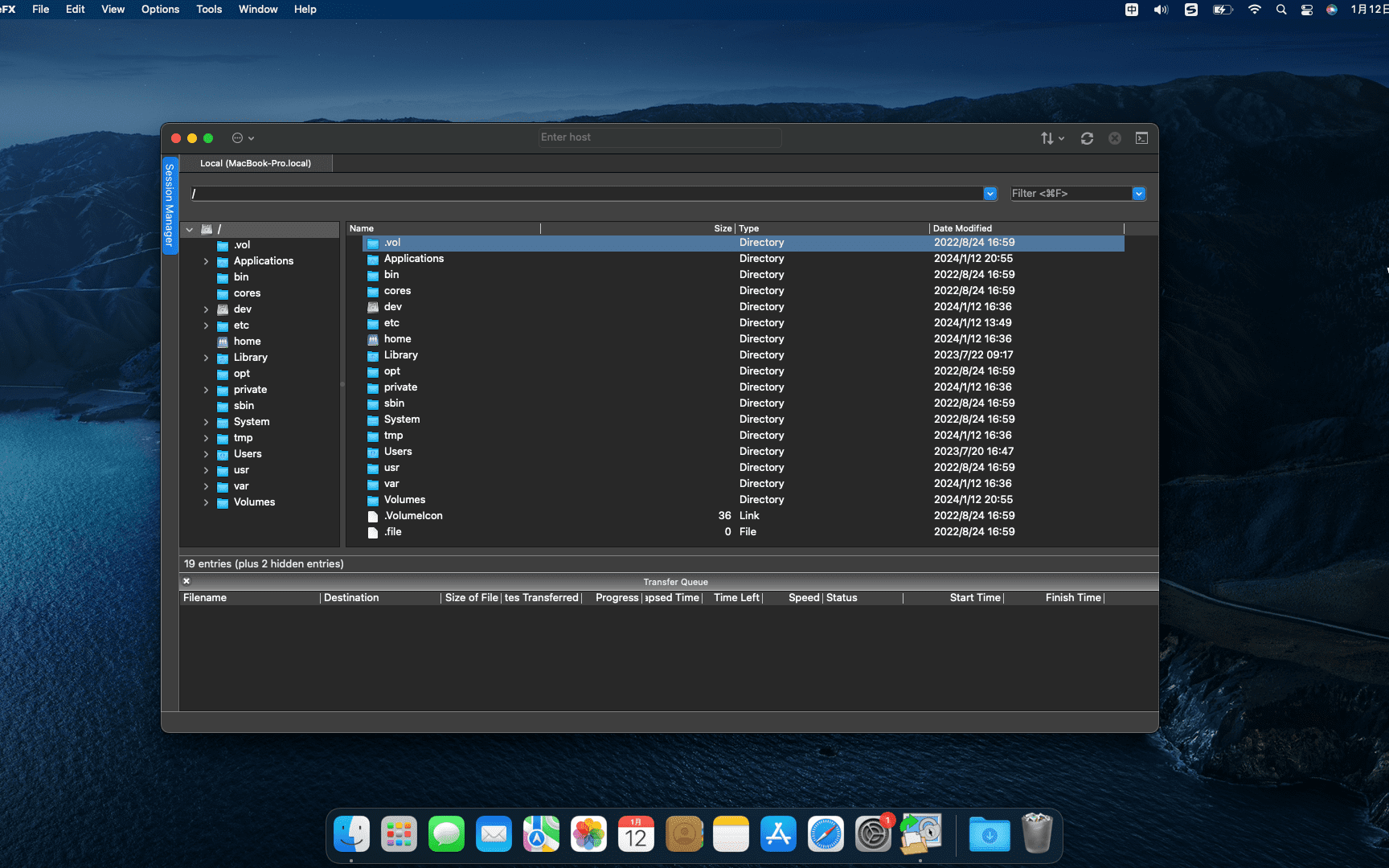
SecureFX 9.1.1 for mac is a software that supports SFTP client,it is easy to use,Has an operation interface similar to Windows Explorer。
SecureFX gives you the tools you need to make your file transfer operations and site synchronization more secure and efficient。SecureFX’s user-friendly interface makes it easy to learn,Support for multiple platforms allows you to apply the Secure Shell protocol’s powerful encryption and authentication mechanisms to your data transfers。
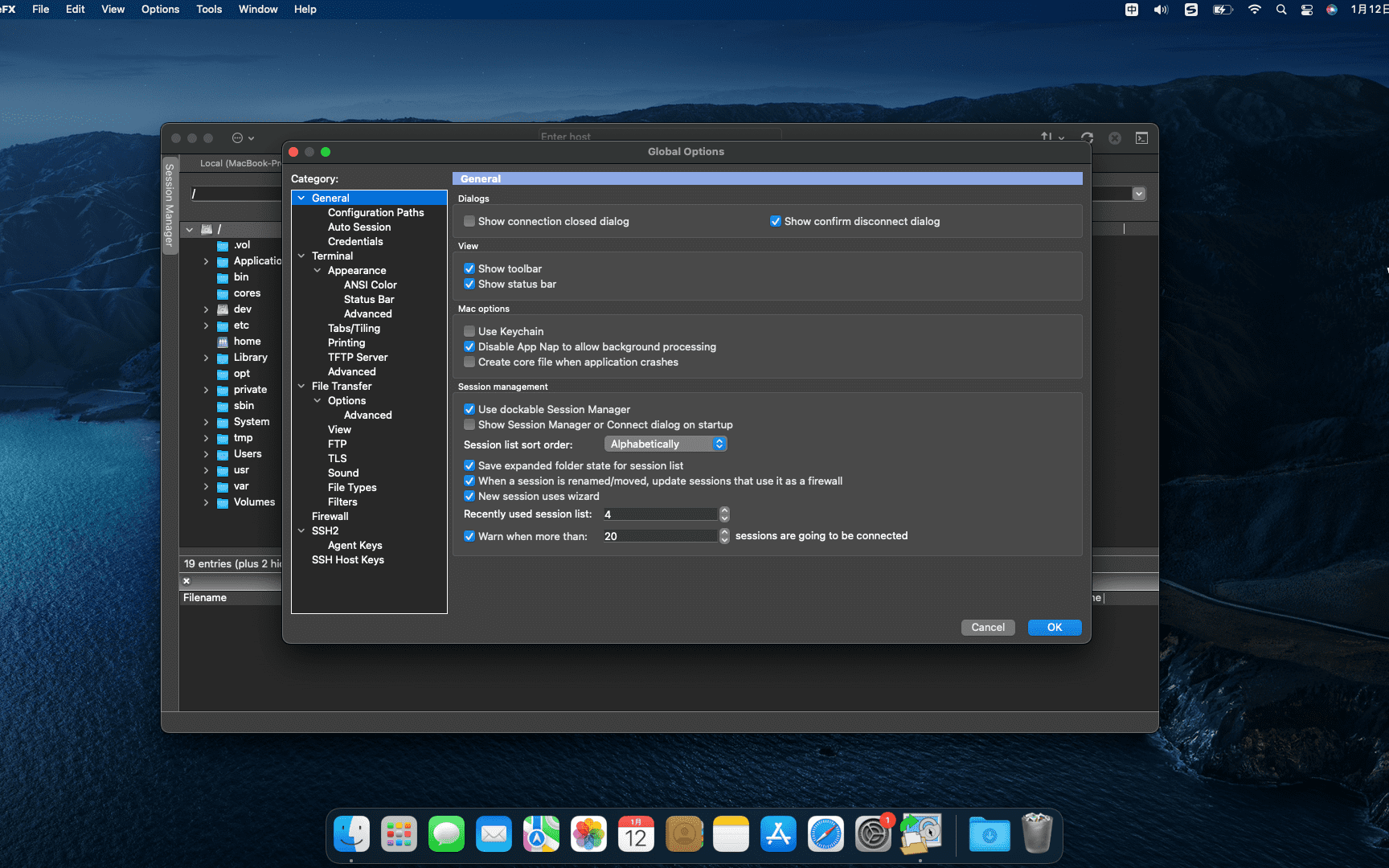
SecureFX 8.7.3 supports three file transfer protocols:FTP、SFTP 和 FTP over SSH2。It can provide secure file transfer。No matter which operating system you are connected to the server,It can provide secure transmission services。
The downloaded compressed package contains DMG files suitable for both ARM and INTEL platforms.。请下载
压缩包后解压根据自己Mac系统选择对应DMG安装。
statement:All articles on this site,If there is no special instructions or markings,All are originally published by this site。any person or organization,Without the consent of this website,Reproduction prohibited、Misappropriate、collection、Publish content from this site to any website、Books and other media platforms。If the content on this site infringes upon the legitimate rights and interests of the original author,You can contact us for processing。
Can free downloads or VIP membership resources be used directly for commercial use?
The copyright of all resources on this site belongs to the original author,The resources provided here are for reference and study purposes only.,Please do not use it directly for commercial use。If copyright disputes arise due to commercial use,All responsibility lies with the user。For more instructions, please refer to VIP introduction。
It prompts that the download is complete but cannot be decompressed or opened?
The most common situation is an incomplete download: You can compare the capacity of the downloaded compressed package with the capacity on the network disk,If it is less than the capacity prompted by the network disk, this is the reason。This is a browser download bug,It is recommended to download using Baidu Netdisk software or Thunder。 If this situation is excluded,You can leave a message at the bottom of the corresponding resource,or contact us。
Can't find the sample image in the material resource introduction article?
For members only、Whole site source code、Program plug-in、website template、Web page templates and other types of materials,The pictures used for introduction in the article are usually not included in the corresponding downloadable material package.。These related commercial images need to be purchased separately,And this site is not responsible for(There is no way)find source。 The same is true for some font files,However, some materials will have a list of font download links in the material package.。
The download address cannot be displayed or the content cannot be viewed after payment?
If you have successfully paid but the website does not pop up a success prompt,Please contact the webmaster to provide payment information for you to process
After purchasing this resource,Can I get a refund?
Source code materials are virtual goods,replicable,Transmissibility,once granted,No refunds of any kind will be accepted、Exchange request。Please confirm before purchasing to obtain the resources you need.
Comments (0)
Note: Please be respectful and civil in your comments Cancel reply
Wondershare Recoverit is a very reliable data recovery tool,It can recover data from any storage media。No matter where your data is lost from,Where can it help you find it?,Include deleted files,recycle bin,Format disk,Partition lost,external device,Virus attack data, etc.。 WonderShare Recoverit is a comprehensive data recovery suite,Used to recover due to accidental deletion、format、viral infection、Improper operation、Mac data lost due to unexpected power outage and other reasons。it can be lost from、delete、Logically corrupted and formatted Mac hard drive、iPod、USB drive、SD card、digital camera、mobile phone、Recover Mac data from MP3 and MP4 players。Compatible with HFS,FAT 16/32 and NTFS file system volumes,This lossless Mac file recovery software ensures safe recovery of Mac files,Without modifying the original data saved on your Mac machine or any other storage media。Versatile preview allows you to enjoy Mac data recovery in advance。 Function safety first: Read-only and risk-free MAC data recovery program。 No writing operations to the original data。 Multifunctional preview function: for images,Displays real-time and direct scan results during the scan process,to make the user stop scanning after finding the target image。 For other Mac files such as videos、audio file、Archives and documentation),They are displayed as text in hex mode for preview,So that users can enjoy file recovery on Mac in advance。 Accurate file recovery for Mac: Before doing data recovery on Mac,You can select the target file types to scan,This will save you a lot of time,Especially when you have a lot of files on your Mac computer。 Use original file name、Recover deleted files from Mac with shooting date and storage path。 Support file name search scan results,Provides you with precise MAC file recovery。 Easy to use and clean interface: Complete wizard and easy-to-use interface let you perform MAC data recovery in a breeze。
Keka is a free macOS file decompression program,Can meet your daily decompression needs,Small size,Simple and easy to use,faster。The main compression core is p7zip (7-zip port)。 Support compressed formats:7z,Zip,Tar,Gzip,Bzip2,DMG,ISO supported extraction formats:RAR,7z,Lzma,xz,Zip,Tar,Gzip,Bzip2,ISO,EXE,CAB,PAX
When using Mac software,We often encounter situations where the program suddenly freezes.,Especially when processing large files, insufficient memory may cause the program to become unresponsive.。In addition to learning to save files at any time,You also need to know how to force quit a program on Mac system。 Shortcut key Press and hold the shortcut key Command + Option + Shift + Esc can force quit the current program。 Force quit the program window 1. Pull down from the menu bar in the upper left corner of the screen,Select "Force Quit",Or use the shortcut key Command + Option + Esc opens the Force Quit Application window。 2.Select the program you want to exit in the window,Then click "Force Quit" in the lower right corner。 Force quit in the Dock by holding down the Option key,Then right-click the program's icon in the Dock,The option to "Force Quit" will be displayed,Click to exit。 Activity Monitor 1. Open Launch Pad,Go to the "Other" folder,Find and open Activity Monitor。 2.Find the name of the program you want to quit in Activity Monitor,Then click the close button in the upper left corner to force quit the program。 Mastering these methods can help you effectively deal with Mac program stuck situations,Protect data and increase productivity。
Computers are almost indispensable in our daily lives,And network connection is an important part of daily work and entertainment。For users using Windows systems,The disconnect may simply disable local connections。But for novices who have just come into contact with Mac,how to get it right、Easily disconnecting your Mac from the Internet may still be a mystery。don’t worry,Here are some simple and practical methods for disconnecting Mac computers from the Internet.,Allows you to easily disconnect from the network。 Method one:Use the network settings that come with the Mac system. Click the Apple icon in the upper left corner of the screen.,Select "System Preferences"。 in the pop-up window,Click "Network"。 In the list of network connections on the left,Select the network connection you want to disconnect (such as Wi-Fi or Ethernet)。 Click the "Advanced" button in the lower right corner。 in the pop-up window,Select the TCP/IP tab,Then click the "Configure IPv4" drop-down menu in the lower left corner,Select "Turn off IPv4"。 Click "OK" to save settings,Your Mac will disconnect from the network。 Method two:Use shortcut keys to quickly disconnect from Wi-Fi if you just want to disconnect from Wi-Fi,You can use shortcut keys for quick operations。Press Option + Click the Wi-Fi icon in the upper right corner of the screen,A menu will pop up,Select "Disconnect from Wi-Fi"。 Method three:Use third-party network management tools in addition to the network settings that come with the Mac system,You can also choose to use third-party network management tools to manage network connections more flexibly。These tools usually offer more features and options,Can meet your more complex network needs。You can search for network management tools suitable for your Mac computer in the App Store or online。 Through the above methods,I believe you have mastered how to easily disconnect your Mac computer from the network。Whether you need to disconnect from Wi-Fi or other networks,You can choose the appropriate method according to your own needs。Remember to reconnect to the Internet when needed!
Edraw Max is a powerful cross-platform professional drawing software,It integrates rich drawing tools,Adaptable to many professional fields,Allows users to easily create flowcharts、network diagram、organizational chart、Market analysis chart、Building plan、mind map、fashion design drawings、UML diagram、workflow diagram、Web design drawing、electrical engineering drawings、Directional diagrams and database charts, etc.。The software provides a user-friendly interface and a large number of templates、Shapes and over 26,000 vector symbols,Support effective data visualization and brainstorming,Suitable for both professionals,It also allows beginners to easily create professional-looking graphs and charts.,Greatly facilitates the expression and communication of data。 Features Special functions Full Chinese interface,Have desktop version、Web version allows you to easily draw more than 260 drawing types, including a large number of professional templates and 26,000+ vector symbol materials and intelligent wizards.,Combine graphics and data. Support batch import and export of Visio format. Support output in multiple formats.,As picture、PDF、Office、Html, etc. One-click sharing link、Share to social platforms Office drawing + AI,Improve your drawing efficiency. Edraw AI can optimize graphic charts and text creation scenarios.,For example, enter a sentence to generate a flow chart/mind map/list、Continue writing text with one click、One-click layout and beautification、OCR text extraction is easy to operate,Even novices in drawing can get started easily. Edraw icons make complex drawings simple and easy to use.,No need to master complex professional knowledge,Full drag-and-drop operation,Ready to use,regardless of background,Easy to get started。 Massive materials,To meet multi-scenario drawing needs, Edraw has 210+ graphics solutions,17500+drawing symbols,1100+Built-in templates,One software can take care of your daily drawing。 Collaboration and sharing,Share your visual works anytime, anywhere. Edraw web version supports online collaboration.,Share easily、Manage team files;It also supports one-click sharing to WeChat、Weibo、QQ and other social platforms,Make communication more convenient。 Strong compatibility,Commonly used formats can be imported and exported with one click. Edraw icons support the import of Visio common formats VSD.、VSDX,You can export EPS with one click、Word、PPT、PDF、SVG and common image formats。 Enterprise-grade security,Protect your privacy in Edraw icon,Your data is private、safe and reliable。All information and file transfers are protected by a high level of professional encryption,without permission,No one can access your data。 Business Office Don’t know how to make PPT? Copy template using Edraw icon,Quickly output beautiful charts、business canvas、analysis report。 Project Management Is project management complicated? Use Edraw icons,Get the flow chart done in one go、Gantt chart、Checklist diagram、funnel chart、fishbone diagram。 Science education: Text-only teaching is too monotonous? Use Edraw icons,Present boring knowledge points in a visual way,Stimulate children's interest in learning。 Software Development Don’t have a clear idea for software development? Draw architecture diagram using Edraw icons,Sort out the underlying logic,Improve business understanding。 Knowledge Summary Is studying for a long time too inefficient? Use Edraw icons to create mind maps,Organize knowledge points,Build a structured knowledge system。
How to completely uninstall Office 2019 for Mac? During the process of uninstalling the application,There may be residual files。so,To completely uninstall Office 2019 for Mac,Application must be deleted、Supporting documents、keychain entry,and any icons added to the Dock。The editor below will teach you how to uninstall Office simply and conveniently. 2019 for Mac。 first step:Delete application 1. Open Finder > app。 2. Hold down the Command key,Simultaneously click to select all Office for Mac applications。 3. Hold down the Control key,Also click on selected applications,Then select "Move to Trash"。 Step 2:Delete files from user library folder 1. In Finder,Press Command + Shift + G。 2.Enter ~/Library in the window that opens,Then click "Go"。 3. Open the Containers folder,Control-click each of the following folders,Then select "Move to Trash"。Notice,Some of these folders may not exist: •com.microsoft.errorreporting...
The Chinese cracked version of CleanMyMac X can clean up all the messy useless files in the system in just two simple steps.,Save valuable disk space。cleanmymac x Personally think that X represents the biggest upgrade in the interface,More features added,More compatible with the latest macOS system,Smoothly and more integrated with system performance,Silent cleanup、record update、Clean cache、Quick and safe removal、Important features like uninstalling apps and emptying the Recycle Bin。
How to completely uninstall AutoCAD 2019:Tutorial for uninstalling CAD on Mac. Many Mac users find that after installing AutoCAD,Found that all files cannot be completely cleared during uninstallation,Especially if you want to update to a new version of AutoCAD。This tutorial details how to completely uninstall AutoCAD 2019。 1. Use the software’s built-in uninstaller •Click Launchpad to enter the software menu,Find and click "Remove AutoCAD 2019"。 2. Continue the uninstall process •Click “Continue” to continue uninstalling AutoCAD 2019 Cracked version。 3. Enter your administrator password •After entering your Mac password,Click "OK" to agree to uninstall AutoCAD 2019。 4. Complete the initial uninstall •After canceling the "OK" option,Click "Close"。 5. Check for residual files •Open Launchpad to check if there are still any residual files。 6. Manually delete residual files •Go to the Applications folder,turn up...
Boom 3D is a system-wide volume booster and equalizer for Mac,Delivers an incredibly realistic and immersive listening experience with its magical 3D surround sound and futuristic technology。 It automatically enhances all audio and creates the perfect sound profile for your Mac。Boom 3D has a stylish and intuitive interface、Wide variety of presets、Option to centrally control individual app volume and wireless control (Boom Remote),Gives you complete control over the audio coming from your Mac。
on Mac,Safari’s caching feature speeds up web page loading,But sometimes you may need to clear these caches to resolve browsing issues or free up storage space。Here are the steps to clear Safari browser cache: How to clear Safari cache 1. Open the Safari browser Launch the Safari browser。 2. Access Preferences in the upper left corner of the screen,Click on the "Safari" menu,Then select "Preferences"。 3. Go to Privacy settings in the Preferences window,Click the "Privacy" tab at the top。 4. Manage website data in the Privacy tab,Click "Manage website data"。 5.Clear cache in the pop-up window,Click the "Remove All" button,to clear all cached data in Safari。 After completing the above steps,Safari cache data will be cleared,This may help resolve loading issues or free up storage space。
Disk Graph is a Mac tool on the Mac os platform that helps users detect their own disk space.,Can help you check your disk and find files taking up most of your disk space。 You can select any directory accessible in Finder (i.e. on your local computer,on external drive,even on a remote server),and perform analysis immediately Navigate freely within the analyzed folder or subdirectory of the device Smooth animation manages transitions between selected directories Move mouse over files to see their names and sizes Delete selected files using context menu or keyboard shortcuts Quickly search file names Save your favorite locations,Then access them with one click from the main window Switch between the two modes at any time:File size mode (where section size is relative to the corresponding file size) and file count mode (where section size represents the number of contained files) Adjust the number of levels displayed in the pie chart,to better understand the deep directory。 Disk Graph is designed to be both fun and easy to use。
Many friends may need to switch the language of the software from Chinese to English when using Photoshop.。The following are the specific steps: Open the Photoshop folder in the application: Find and open the folder of your installed version of Photoshop (e.g. Adobe Photoshop CC 2020)。 Go to the Locales folder: Find and enter the "Locales" folder in the Photoshop folder。 Enter the zh_CN folder: Find and enter the "zh_CN" folder in the Locales folder。 Go to the support files folder: Find and enter the "support files" folder in the zh_CN folder。 Modify file name: Find the file named "tw10428_Photoshop_zh_CN.dat",Change its file name to any other name,For example, add ".bak" suffix to the file name。 Rerun Photoshop: After modifying the file name,Restart the Photoshop application。 Confirm to switch to English version: Now,Adobe Photoshop CC for Mac should have switched to the English version。 With these simple steps,You can easily switch the interface language of Adobe Photoshop from Chinese to English,to suit your personal preferences and work needs。
Comments (0)

