

Disk Graph is a Mac tool on the Mac os platform that helps users detect their own disk space.,Can help you check your disk and find files taking up most of your disk space。
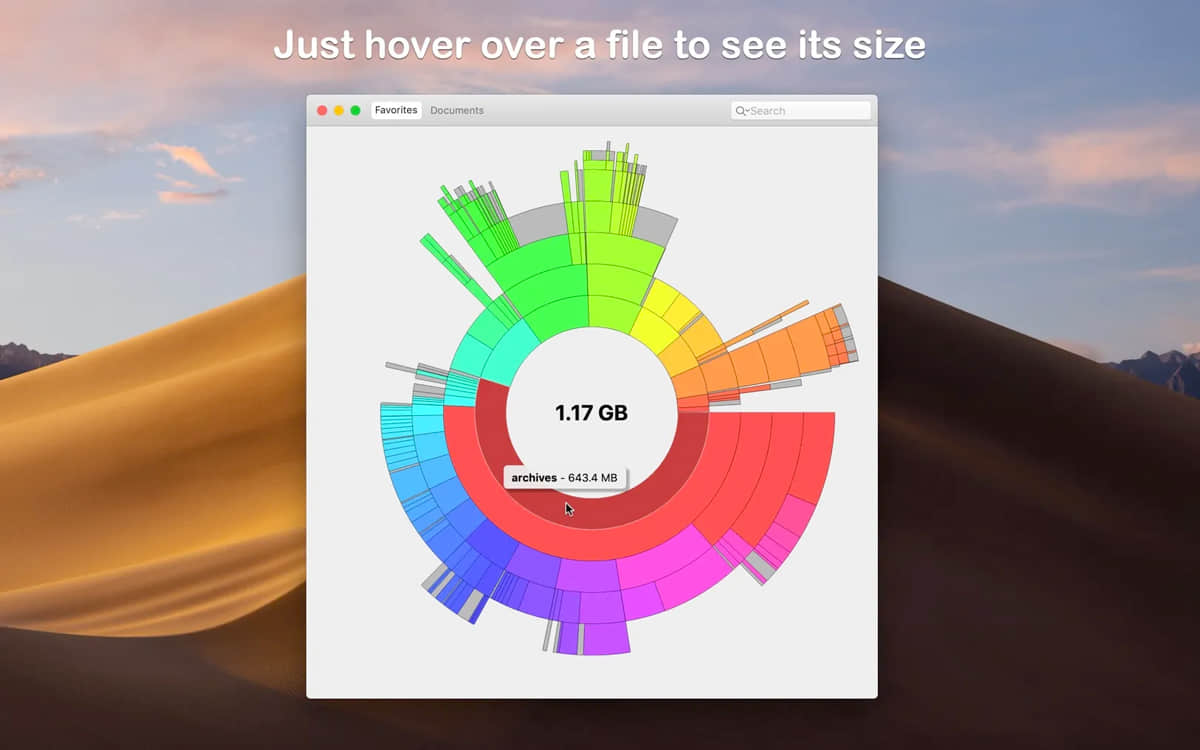
You can select any directory accessible in Finder (i.e. on your local computer,on external drive,even on a remote server),and analyze it immediately
Navigate freely within subdirectories of analyzed folders or devices
Smooth animation manages transitions between selected directories
Move your mouse over a file to see its name and size
Delete selected files using context menu or keyboard shortcut
Quickly search file names
Save your favorite locations,Then access them with one click from the main window
Switch between two modes at any time:File size mode (where section size is relative to the corresponding file size) and file count mode (where section size represents the number of contained files)
Adjust the number of levels displayed in a pie chart,to better understand the deep directory。
Disk Graph is designed to be both fun and easy to use。
Most of the download resources on this site are collected from the Internet,Only for learning and communication purposes,Copyright belongs to the original author。If you need to use non-free software or services,Please purchase genuine licenses and use them legally。If the content published on this site infringes upon your rights,Please contact the webmaster to delete,We will handle it promptly。
If the download address is invalid,You can leave me a message,The editor saw the news,Will update the link as soon as possible! Thanks!


