

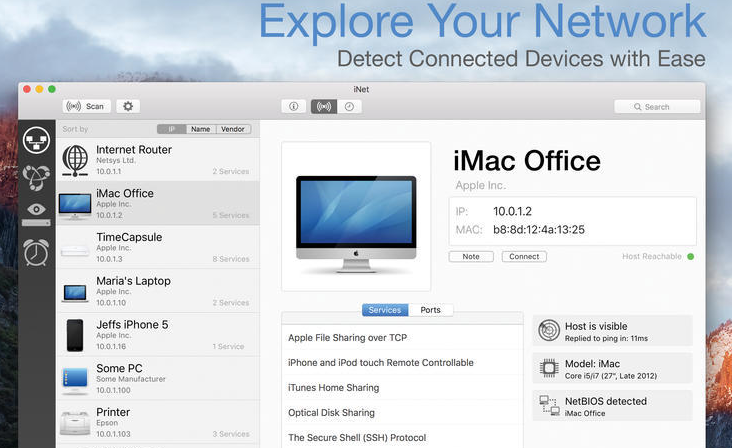
iNet Network Scanner is a network device monitor on Mac,Ability to automatically scan and discover devices on the network,Shows the device’s IP address、Manufacturer、MAC address, etc.,Support network equipment、BonjourService、Airport etc.
iNet Network Scanner gives you all the information about your Mac’s network and the devices your Mac is connected to,Ease of use and perfectly thoughtful design allow even inexperienced users to gain a deep understanding and overview of the network,Report on running services and quality of wireless network connections。
Function introduction
- network scanner
- Bonjour browser
- WiFi wireless monitor
- Wake on LAN
We did our best to develop a solution,Make network observation as simple as possible。Whether you are a networking expert or a casual user - iNet Network Scanner provides all the network information you need to know。
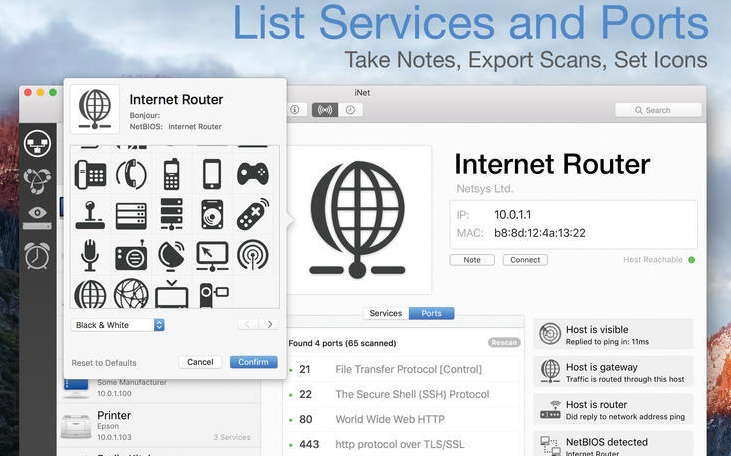
network scanner:
- View all devices that are online and connected to the network,together with suppliers, IP and MAC address
- Assign your own name and icon,or from the provided icon,To facilitate identification of device selections in the scan list。Most Mac devices display with the original icon。
- Set scan range and interface scan
- Export scan results in CSV format
- Connect to devices via different protocols
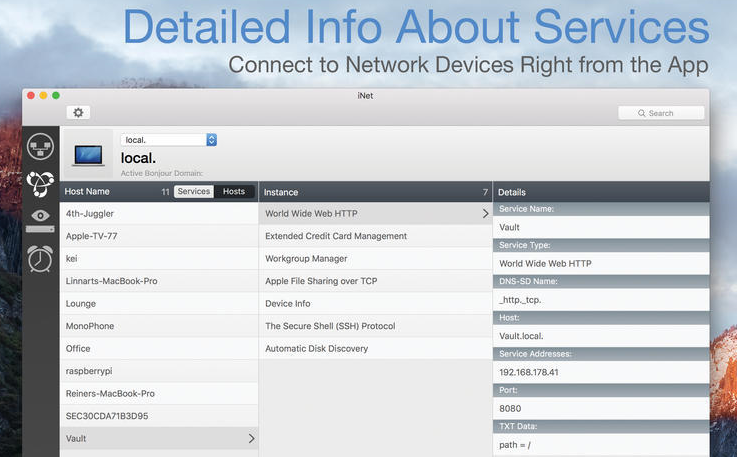
Bonjour monitor:
- Detect all running Bonjour services,real time
- Detecting services running on discrete devices
- Detailed information about services
- Select Active Bonjour Domain Observations
WiFi network monitoring:
- Pay attention to providing users with the latest 2013 version of the network and 802.11ac:Because SNMP support has been disabled,iNet cannot retrieve usage statistics and wifi strength anymore with these models。 All other features of iNet work fine。The following airport surveillance features can only be used with pre-802.11ac models:
- See the Current State of Apple AirPort Base Stations Like Wireless Express or Time Capsule
- Monitor network traffic for wireless devices
- Find your AirPort base station's MAC address,IP,Details such as channels used
- See connection quality of wireless clients on live connections
Wake on LAN:
- Wake up your local network or remote device over the internet
- Put device to sleep remotely,Shut down or restart (Macintosh only)
- Add device to favorites
- Send commands to device via ssh
Most of the download resources on this site are collected from the Internet,Only for learning and communication purposes,Copyright belongs to the original author。If you need to use non-free software or services,Please purchase genuine licenses and use them legally。If the content published on this site infringes upon your rights,Please contact the webmaster to delete,We will handle it promptly。
If the download address is invalid,You can leave me a message,The editor saw the news,Will update the link as soon as possible! Thanks!



1F
A really good blog and me back again.